ZY - A Custom Unix Shell

A Unix shell built from scratch in C. ~67,000 lines, 356+ builtins, structured data pipeline with typed values, custom recursive-descent parser, truecolor prompt engine, SHA-256 audit ledger, policy engine, built-in test framework, terminal visualization, and 50 test suites.

CompletedAdvancedUpdated 2026-04-06

ZY

A Unix shell built entirely from scratch in C: lexer, parser, executor, line editor, prompt renderer, job control, signal handling, tab completion, history, audit logging, policy enforcement, and a structured data pipeline. No readline, no libedit, no yacc. Every subsystem is hand-written.

What began as a tamper-evident command logger grew into a full interactive shell with 356+ builtins, Nushell-style typed data pipelines, 18 truecolor themes, a built-in test framework, terminal data visualization, cheatsheet engine, script debugger, and a security stack with SHA-256 hash-chain audit logging and a policy engine. It runs as a daily-driver shell.

zy shell prompt showing Aura style with git status, language detection, and syntax highlighting
The default Aura prompt: directory pill, git branch + status, language detection (node v20.1), syntax highlighting as you type, and a suggestion dropdown with top matches from history.

Get Started

bash
sudo dpkg -i zy_1.0.9_amd64.deb

After Installation

Set zy as your default shell:

bash
chsh -s /usr/bin/zy

Log out and back in, or start a new terminal. Every new session will launch zy.

Or try it without committing:

bash
zy

This drops you into an interactive zy session inside your current shell. Type exit to return.

On first launch, zy runs a one-time setup: detects your terminal font (offers to install a Nerd Font if none is found), creates ~/.zyrc with sensible defaults, and opens the customize wizard for theme, prompt style, and feature toggles.


At a Glance

~67K
Lines of C
2 ms
Startup
3.5 MB
Memory (RSS)
5.0 MB
Binary
150
Source Files
356+
Builtins
47
Token Types
22
AST Node Types
50
Test Suites
1250+
Assertions
Where the code lives. Builtins account for the largest share: 356+ commands across 30 categories including Nushell-compatible data pipeline operations, testing, visualization, and developer tools.

Architecture

SQLite is the only external dependency, powering three subsystems: audit ledger, frecency history, and directory jump rankings. Everything else is standard libc and POSIX.

The full command pipeline: input → lexer → parser → policy check → executor → output. The policy engine sits between parsing and execution, intercepting every command.
  • src/
    • core/
      • main.cREPL loop, signal bootstrap, subsystem init
      • executor.cAST walker, pipeline/fork/exec, builtin dispatch
      • input.craw-mode line editor, syntax highlighting, autosuggestions
      • variables.chash table, parameter expansion, arrays, environ sync
      • jobs.cprocess groups, fg/bg, wait, SIGCHLD handling
      • signals.cdeferred signal model, 29 signals, trap dispatch
    • parser/
      • lexer.ctokenizer, 47 token types, quoting rules
      • parser.crecursive descent, 22 AST node types, 16 sub-parsers
      • glob.cwildcards, globstar, qualifiers, modifiers, brace expansion
    • builtins/
      • core_builtins.cset, setopt, trap, type, echo, printf, read
      • data_builtins.cwhere, select, sort-by, group-by, each, reduce
      • filter_builtins.cfirst, last, nth, all, any, shuffle, sort
      • string_builtins.cstr length/trim/replace/split/distance/stats
      • math_builtins.ccalc, math abs/ceil/floor/sqrt/sin/cos/tan/sum/avg
      • type_conv_builtins.cconv (units), into int/float/string/bool
      • format_builtins.cfrom/to json/csv/toml/yaml/tsv/xml/md/html
      • assert_builtins.cassert-eq/ne/true/false/error/type, test-run
      • viz_builtins.csparkline, chart, progress bar
      • cheat.cinline cheatsheets for 50+ commands, Ctrl+H popup
      • debugger.cinteractive script debugger with breakpoints
      • env_snapshot.cenv-save/restore/snapshots
      • fs_watch.cinotify file watcher with glob/debounce
      • task_runner.c.zytasks runner with dependency resolution
      • pipeline_record.csession record/replay to JSON
      • … 15+ more builtin source files
    • modules/
      • audit.cSQLite ledger, SHA-256 chain, risk classification
      • policy.cdeny/warn/restrict/rate_limit rules
      • completion.ccontext-aware tab completion, fuzzy scoring
      • zyhistory.cfrecency scoring, per-directory context, SQLite
      • zyjump.cz/zi directory jumping, frecency database
      • pipeline_data.cZyValue type system, zero-copy transport
    • ui/
      • prompt.c5 prompt styles, segment rendering
      • theme.c18 truecolor themes, RGB interpolation
      • table.cUnicode box-drawing table renderer
  • include/73 header files
  • tests/50 test suites, 1250+ assertions
Under the Hood: Lexer State Machine
The lexer walks input character by character, switching between quoting states. 47 token types cover operators, keywords, redirections, heredocs, and words.
Under the Hood: Variable Expansion
Variable expansion engine: a fast path skips strings with no $. Otherwise, a character-by-character walk handles tilde, arithmetic, command substitution, and 16 braced-expansion operators.
Under the Hood: Signal Handling
Deferred signal model: async handlers only set a flag. The main loop checks at safe points and dispatches to user-defined traps, named functions, or defaults. 28 POSIX signals + 4 pseudo-signals (EXIT, ERR, DEBUG, RETURN).

Data Pipeline

Nushell-style structured data operations inside a POSIX-compatible shell. Values flow through pipes as typed data, no text parsing between stages.

bash
ls | where size > 20kb | sort-by modified | first 5
Zero-copy pipeline: builtin-to-builtin chains pass ZyValue pointers through an in-process slot. No serialization until data leaves the shell.

The ZyValue tagged union supports: null, bool, int, float, string, list, record, table, filesize, and duration. Builtin-to-builtin chains never serialize to text; data flows as pointers through a global side-channel. When an external command enters the pipeline, zy auto-serializes (tables become TSV for awk/cut compatibility).

220+ pipeline commands across 15 categories

where, select, sort-by, group-by, each, reduce, first, last, nth, skip, take, all, any, flatten, shuffle, reverse, uniq, wrap, unwrap, compact, zip, enumerate, merge, append, prepend, slice, window, chunks, reject, rename, move, insert, update, upsert, transpose, collect, tee, describe, length, is-empty, is-not-empty, default, range, par-each, sort, values, columns, get, input list


Prompt & Themes

Five prompt styles, 18 truecolor themes, and 13 configurable segments, all live-previewable through the customize wizard.

Aura

Powerline pills with rounded separators and full segment rendering

Edge

Angular separators with a sharp, modern aesthetic

Flux

Gradient-blended pills with smooth color transitions

Bare

Minimal text-only prompt, no special fonts required

$

Classic

Traditional bash-style prompt for familiarity

18 color themes
ThemeStyle
etherCool blue-gray (default)
neonHot pink / cyan cyberpunk
forestDeep green / moss / bark
oceanNavy / teal / seafoam
sunsetOrange / coral / warm earth
nordArctic blue / muted pastels
draculaPurple / pink / green
monokaiYellow / magenta / terminal
solarizedWarm tan / blue / orange
gruvboxRetro warm / orange / aqua
catppuccinPastel pink / mauve / teal
rose-pineRose / gold / muted purple
tokyoNeon purple / cyan / deep bg
kanagawaWave blue / sakura pink
everforestSoft green / warm gray
moonlightEthereal blue / purple haze
vaporwaveRetro pink / cyan / purple
cyberdreamElectric blue / neon green

Available themes

13 prompt segments
SegmentWhat it shows
DirectoryCurrent path (short/full/tail modes)
Git branchBranch name + dirty/staged/ahead/behind status
Git commit hashShort SHA of HEAD (toggleable)
User@HostAuto-shows on SSH or root sessions
Python venvDetected from $VIRTUAL_ENV
Language/project24 languages via marker files, extensions, versions
Docker contextActive Docker context
Command durationShows elapsed time above a configurable threshold
Exit statusRed indicator on non-zero exit
Right promptClock (toggleable)
OS iconLinux/macOS/WSL detection
Jobs countBackground job count
Battery levelBattery percentage (toggleable)
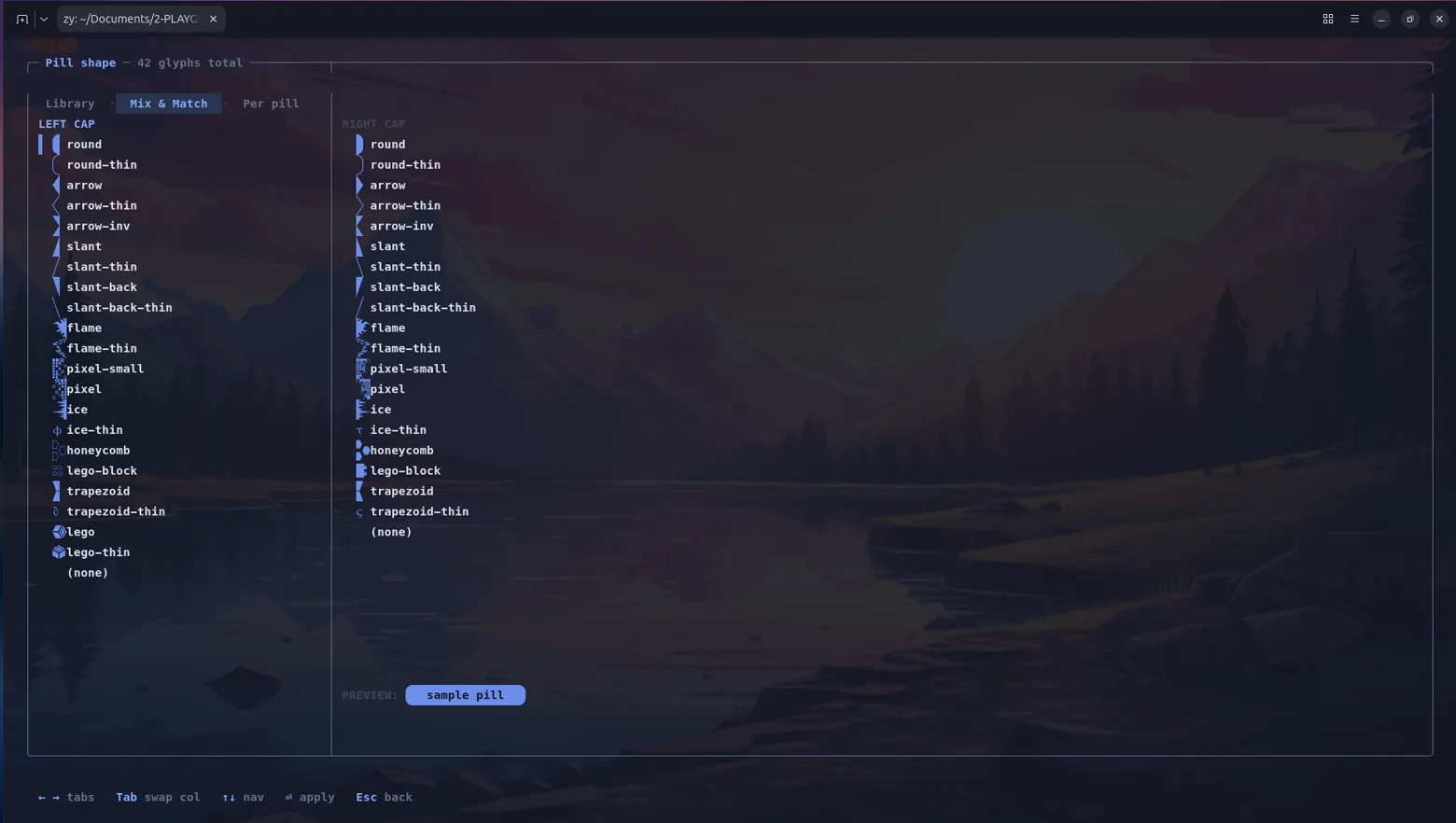
zy shell interactive customization TUI
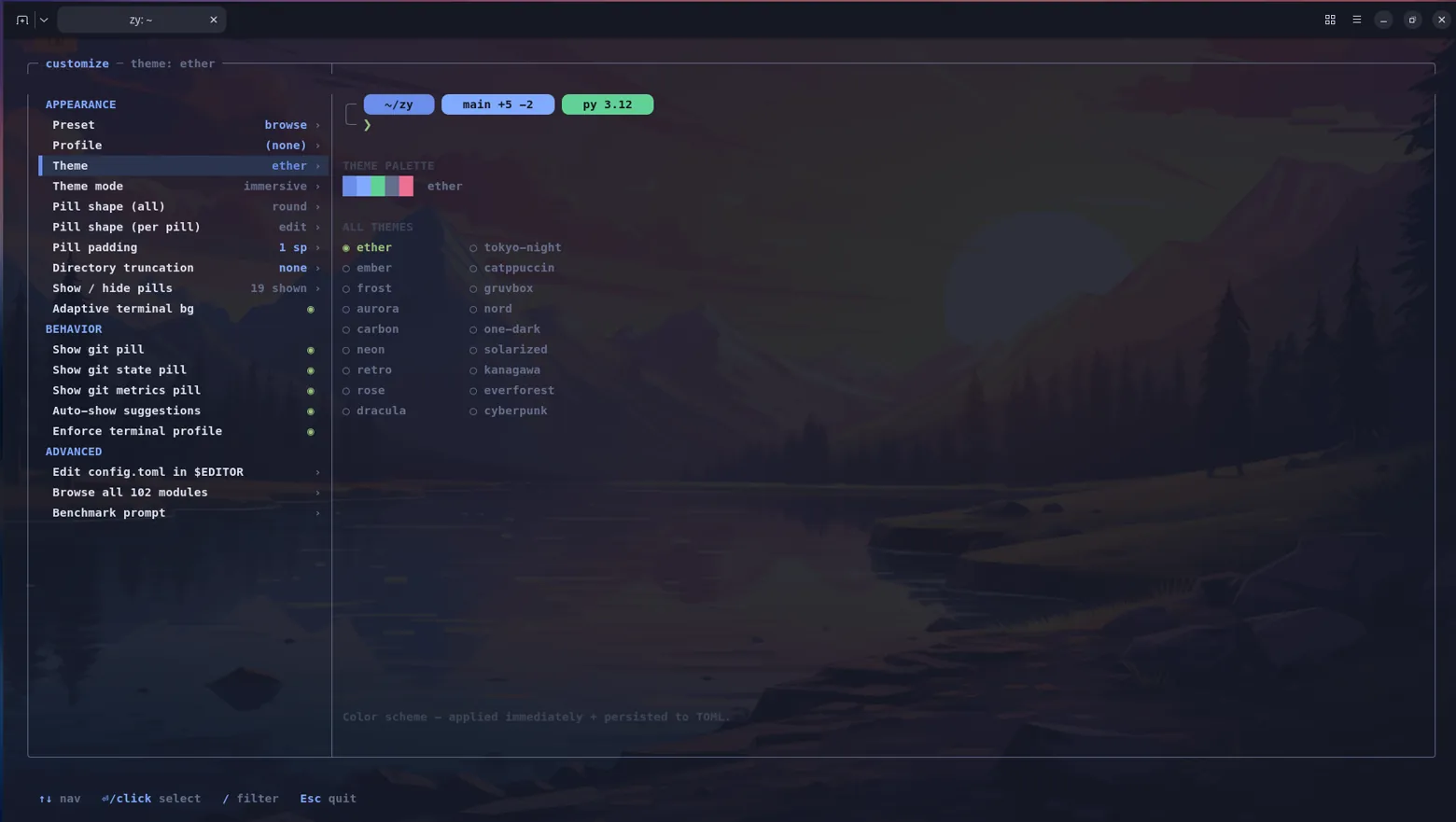
The customize wizard: a live prompt preview updates in real-time as you cycle through styles, themes, and module toggles. Every change is reflected instantly, no restart needed.

Security

Policy Engine

Sits between the parser and the executor. Every parsed command is checked against a rule list before execution.

The policy engine intercepts every command between parsing and execution. Rules are evaluated by priority.
bash
policy add deny "rm -rf /*" "blocked: recursive root delete"
policy add warn "sudo *" "elevated privilege - are you sure?"
policy add rate_limit "curl *" --rate 10 "max 10 requests per minute"
policy restrict    # lock down all capabilities
zy shell policy engine in restricted mode
Restricted mode: all 6 capability toggles locked, 1 active deny rule. Designed for kiosks, shared servers, or hardened environments.

Audit Logging

Every command goes into a local SQLite database with: command text, working directory, username, exit code, duration, timestamp, risk level, session ID, and device fingerprint. Each entry carries a SHA-256 hash computed over its full record plus the previous entry's hash, creating a tamper-evident chain.

bash
audit verify       # check the hash chain end to end
audit log          # recent entries
audit export out   # dump as JSON
audit search sudo  # search for specific commands
audit risk         # show high-risk commands
Tamper-evident hash chain: each audit entry includes a SHA-256 hash computed over its full record plus the previous entry's hash. Verification recomputes the entire chain.
Risk classification
LevelTriggers
privilegedsudo, su, doas, pkexec
destructiverm, rmdir, shred, mkfs, dd, fork bombs
modifymv, cp, chmod, chown, sed -i, git push, redirections
inspectls, cat, grep, find, git status, ps, top
unknownEverything else

Benchmarks

49 tests timed with hyperfine (--runs 10 --warmup 3 --shell none). Every test is a standalone POSIX #!/bin/sh script. Every shell runs the exact same file. Correctness is verified first: all three shells must produce identical output before any timing begins.

zy is 2.88× faster than bash and 3.07× faster than zsh on average (geometric mean across 45 comparable tests ≥ 2 ms). zy wins 42 of 45 benchmarks.

Interpreter-Bound (ms, lower is better)
bash zsh zy
While 50K
bash
123 ms
zsh
114 ms
zy
39 ms
Arith 100K
bash
259 ms
zsh
221 ms
zy
63 ms
Str Concat 5K
bash
211 ms
zsh
32 ms
zy
7 ms
Fn Call 20K
bash
89 ms
zsh
252 ms
zy
19 ms
Array Iter
bash
57 ms
zsh
61 ms
zy
9 ms
Word Split 10K
bash
269 ms
zsh
838 ms
zy
90 ms
Deep Nest 20K
bash
174 ms
zsh
212 ms
zy
46 ms
Mixed 10K
bash
98 ms
zsh
167 ms
zy
21 ms
zy dominates when work stays inside the shell interpreter.
Kernel-Bound (ms, lower is better)
bash zsh zy
Subshell 300×
bash
93 ms
zsh
97 ms
zy
68 ms
Pipeline 300×
bash
285 ms
zsh
308 ms
zy
274 ms
3-Stage 150×
bash
202 ms
zsh
207 ms
zy
180 ms
Cmd Sub 300×
bash
105 ms
zsh
101 ms
zy
80 ms
External 300×
bash
185 ms
zsh
215 ms
zy
181 ms
Bg Job 200×
bash
85 ms
zsh
65 ms
zy
40 ms
Fork/exec overhead tightens the margins — expected for kernel-dominated workloads.
CategoryTestszy winszy vs bashzy vs zsh
Loops & Arithmetic663.2×2.8×
String & Variable Ops874.4×3.1×
Control Flow & Functions664.3×5.8×
I/O & Output332.3×2.1×
Process & Pipeline771.3×1.3×
File System & Environment222.8×2.7×
Array & Data Structures334.7×5.6×
Real-World Patterns1082.5×3.8×
Overall (geometric mean)45422.88×3.07×

Category overview (geometric mean speedup, tests ≥ 2 ms)

Full 49-test scorecard

Values below 1.0× mean zy is faster. Tests marked ⚠ are known weaknesses.

Testbashzshzyzy/bashzy/zsh
Startup (true)1.0 ms1.4 ms1.0 ms1.02×0.70×
Startup + echo1.1 ms1.5 ms1.1 ms1.03×0.75×

Startup

Testbashzshzyzy/bashzy/zsh
While loop 50K123 ms114 ms39 ms0.31×0.34×
C-style for 50K65 ms64 ms32 ms0.49×0.50×
Nested 200×20098 ms89 ms26 ms0.26×0.29×
Arithmetic 100K259 ms221 ms63 ms0.24×0.29×
Complex arith 50K202 ms148 ms70 ms0.35×0.47×
Break/continue 50K264 ms237 ms70 ms0.26×0.29×

Loops & Arithmetic

Testbashzshzyzy/bashzy/zsh
Variable expansion 20K81 ms54 ms22 ms0.27×0.41×
String length 10K34 ms28 ms8.8 ms0.26×0.32×
String substitution 10K48 ms34 ms9.7 ms0.20×0.29×
Prefix/suffix strip 10K62 ms47 ms51 ms0.82×1.08×
String concat 5K211 ms32 ms6.6 ms0.03×0.21×
Default expansion 20K76 ms54 ms19 ms0.26×0.36×
Multi-var assign 20K91 ms56 ms19 ms0.21×0.35×
Export/unset cycle 5K42 ms134 ms14 ms0.34×0.11×

String & Variable Ops

Testbashzshzyzy/bashzy/zsh
If/elif branch 20K124 ms133 ms30 ms0.24×0.22×
Case statement 20K70 ms63 ms20 ms0.29×0.32×
Function call 20K89 ms252 ms19 ms0.21×0.07×
Function + locals 10K88 ms166 ms19 ms0.22×0.12×
Recursive depth=300 ×50222 ms201 ms1.1 ms0.01×0.01×
AND/OR chain 20K88 ms103 ms21 ms0.23×0.20×
Test operators 20K137 ms138 ms29 ms0.21×0.21×

Control Flow & Functions

Testbashzshzyzy/bashzy/zsh
Echo 20K → /dev/null94 ms83 ms27 ms0.29×0.33×
Printf 20K → /dev/null103 ms91 ms31 ms0.30×0.34×
Redirect to file 5K318 ms306 ms306 ms0.96×1.00×

I/O & Output

Testbashzshzyzy/bashzy/zsh
Subshell fork 30093 ms97 ms68 ms0.74×0.70×
Pipeline echo|cat 300285 ms308 ms274 ms0.96×0.89×
3-stage pipe 150202 ms207 ms180 ms0.89×0.87×
Cmd substitution 300105 ms101 ms80 ms0.76×0.79×
External /bin/true 300185 ms215 ms181 ms0.98×0.84×
Background wait 20085 ms65 ms40 ms0.47×0.61×
5-stage pipe 5071 ms85 ms65 ms0.91×0.76×

Process & Pipeline

Testbashzshzyzy/bashzy/zsh
File test ops 20K204 ms211 ms102 ms0.50×0.48×
Trap setup/teardown 20K138 ms127 ms35 ms0.25×0.28×
Glob 100 files ×500159 ms157 ms2.0 ms0.01×0.01×

File System & Environment

Testbashzshzyzy/bashzy/zsh
Array append 5K20 ms26 ms5.2 ms0.26×0.20×
Array access 5K40 ms48 ms9.0 ms0.23×0.19×
Array iterate 500-elem ×10057 ms61 ms9.3 ms0.16×0.15×

Array & Data Structures

Testbashzshzyzy/bashzy/zsh
Config parser 500-line ×20 ⚠63 ms138 ms115 ms1.83×0.84×
Path manipulation 10K ⚠101 ms77 ms127 ms1.26×1.65×
Read 2000 lines10 ms80 ms2.3 ms0.23×0.03×
Word split IFS 10K269 ms838 ms90 ms0.33×0.11×
Parse+exec 2000-line ×518 ms18 ms6.8 ms0.37×0.37×
Mixed workload 10K98 ms167 ms21 ms0.22×0.13×
Sequential chain 20K99 ms119 ms24 ms0.24×0.20×
Deep nesting 3-if 20K174 ms212 ms46 ms0.27×0.22×
Conditional file proc 5K39 ms36 ms16 ms0.40×0.44×
Counter + printf 10K61 ms49 ms18 ms0.29×0.36×

Real-World Patterns

AMD Ryzen 7 6800H, 16 GB, Linux 6.8. hyperfine 1.18 with --runs 10 --warmup 3 --shell none. Each test is a standalone #!/bin/sh script; shells are invoked as bash test.sh, zsh test.sh, zy test.sh. Correctness verified identically before timing. Geometric mean for aggregate ratios. Build: -O3 -flto -march=native.

Run It Yourself

Install zy via the .deb package, then benchmark on your own machine. Copy-paste this self-contained 12-test script:

zy-quickbench.sh (copy-paste, runs in ~2 min)
bash
#!/usr/bin/env bash
# zy-quickbench.sh — 12-test benchmark: bash vs zsh vs zy
# Requires: hyperfine (sudo apt install hyperfine), bash, zsh, zy
set -euo pipefail
DIR=$(mktemp -d); trap 'rm -rf "$DIR"' EXIT
for sh in bash zsh zy; do
  command -v "$sh" &>/dev/null || { echo "Missing: $sh"; exit 1; }
done
command -v hyperfine &>/dev/null || { echo "Install: sudo apt install hyperfine"; exit 1; }
 
mk() { local f="$DIR/$1.sh"; cat > "$f"; chmod +x "$f"; echo "$f"; }
 
T01=$(mk while50k <<'S'
#!/bin/sh
i=0; while [ $i -lt 50000 ]; do i=$((i+1)); done; echo $i
S
)
T02=$(mk arith100k <<'S'
#!/bin/sh
i=0; while [ $i -lt 100000 ]; do i=$((i+1)); done; echo $i
S
)
T03=$(mk strconcat <<'S'
#!/bin/sh
s=""; i=0; while [ $i -lt 5000 ]; do s="${s}x"; i=$((i+1)); done; echo ${#s}
S
)
T04=$(mk funcall <<'S'
#!/bin/sh
f() { :; }; i=0; while [ $i -lt 20000 ]; do f; i=$((i+1)); done; echo $i
S
)
T05=$(mk arrayiter <<'S'
#!/bin/sh
a=""; i=0; while [ $i -lt 500 ]; do a="$a $i"; i=$((i+1)); done
j=0; while [ $j -lt 100 ]; do for x in $a; do :; done; j=$((j+1)); done; echo done
S
)
T06=$(mk ifsplit <<'S'
#!/bin/sh
line="one:two:three:four:five:six:seven:eight"
i=0; while [ $i -lt 10000 ]; do
  old="$IFS"; IFS=":"; set -- $line; IFS="$old"; i=$((i+1))
done; echo $i
S
)
T07=$(mk pipeline <<'S'
#!/bin/sh
i=0; while [ $i -lt 300 ]; do echo hello | cat >/dev/null; i=$((i+1)); done; echo $i
S
)
T08=$(mk subshell <<'S'
#!/bin/sh
i=0; while [ $i -lt 300 ]; do (echo hello) >/dev/null; i=$((i+1)); done; echo $i
S
)
T09=$(mk filetest <<'S'
#!/bin/sh
i=0; while [ $i -lt 20000 ]; do [ -f /etc/hostname ]; i=$((i+1)); done; echo $i
S
)
T10=$(mk echo20k <<'S'
#!/bin/sh
i=0; while [ $i -lt 20000 ]; do echo "hello" >/dev/null; i=$((i+1)); done; echo $i
S
)
T11=$(mk deepnest <<'S'
#!/bin/sh
i=0; while [ $i -lt 20000 ]; do
  if [ $((i%3)) -eq 0 ]; then if [ $((i%5)) -eq 0 ]; then if [ $((i%7)) -eq 0 ]; then
    :; fi; fi; fi; i=$((i+1))
done; echo $i
S
)
T12=$(mk mixed <<'S'
#!/bin/sh
c=0; t=0; i=0
while [ $i -lt 10000 ]; do
  x=$((i*3+7)); s="item_${i}_${x}"
  if [ $((i%2)) -eq 0 ]; then c=$((c+1)); fi
  t=$((t+x)); i=$((i+1))
done; echo "$c $t"
S
)
 
run() {
  echo "--- $1 ---"
  hyperfine --warmup 3 --runs 10 --shell none \
    -n bash "bash $2" -n zsh "zsh $2" -n zy "zy $2"
  echo
}
 
echo "=== zy Quick Benchmark (12 tests) ==="
echo "bash $(bash --version | head -1 | grep -oP '\d+\.\d+\.\d+'), \
zsh $(zsh --version | awk '{print $2}'), \
zy $(zy --version 2>&1 | grep -oP '\d+\.\d+\.\d+' || echo '?')"
echo
 
run "While loop 50K"         "$T01"
run "Arithmetic 100K"        "$T02"
run "String concat 5K"       "$T03"
run "Function call 20K"      "$T04"
run "Array iterate 500x100"  "$T05"
run "Word split IFS 10K"     "$T06"
run "Pipeline 300x"          "$T07"
run "Subshell 300x"          "$T08"
run "File test 20K"          "$T09"
run "Echo 20K"               "$T10"
run "Deep nesting 20K"       "$T11"
run "Mixed workload 10K"     "$T12"

Resource Footprint

Cold startup time. All three shells launch in under 2 ms.
RSS after startup. zy sits between bash and zsh, well under 4 MB.

The Line Editor

Custom terminal line editor: no readline, no libedit. Raw termios, custom cursor management, bracketed paste support.

  • Syntax highlighting as you type: green for valid commands, red for missing, cyan for flags, magenta for variables, yellow for strings
  • Autosuggestions: ghost text from history + Nushell-style dropdown menu
  • Auto-pairing: brackets and quotes auto-close, backspace deletes both
  • Magic space: !! + space expands to the last command inline
  • Undo: Ctrl+_ with a 64-state deep stack
Key bindings
ShortcutAction
TabContext-aware completion
Ctrl+RFuzzy reverse history search
/ Navigate suggestion menu / history
/ EndAccept full autosuggestion
Alt+→Accept one word
Ctrl+A / Ctrl+EStart / end of line
Ctrl+U / Ctrl+KKill to start / end
Ctrl+WKill word backward
EscapeDismiss suggestion menu

Fully remappable with bindkey. 14 built-in widgets.

zy shell modernized suggestion dropdown showing prefix-highlighted matches
The autosuggestion dropdown: typing 'c' surfaces the top 5 history matches ranked by frecency. The selected entry highlights the typed prefix in blue; the rest dims. Rounded borders, dark row highlight, and a compact footer hint distinguish it from a basic list.

Tab Completion

Context-aware with fuzzy scoring. Two-pass: strict prefix first, then fuzzy fallback with a 9-factor weighted algorithm.

Two-pass completion: detect context, try prefix, fall back to fuzzy scoring.
zy shell tab completion showing git subcommand suggestions
Tab completion: typing 'git commit' and pressing Tab shows subcommands with descriptions in a filterable dropdown.
zy shell git cherry-pick completion with categorized refs, local branches, and remote branches
Deep git integration: tab-completing 'git cherry-pick' groups results into sections: refs (FETCH_HEAD, HEAD, ORIG_HEAD with inline descriptions), local branches with last-commit metadata, and remote branches. Type to filter across all sections instantly.

Built-in completion data for 15+ tools: git, docker, apt, ssh, systemctl, rg, fd, tmux, gh, jq, fzf, stow, make, npm, kubectl, compiled directly into the binary, no subprocess calls needed.


History & Navigation

Smart History

SQLite-backed with frecency scoring (frequency × recency), per-directory context, and duration tracking.

Frecency scoring: recent commands score higher. A context bonus rewards commands used in the same directory tree. Both history search and z/zi jump use this algorithm.
bash
history            # show with timestamps
Ctrl+R             # fuzzy reverse search (9-factor scoring)
fc -l              # list entries
fc -e vim          # edit and re-execute

Full ! expansion: !!, !$, !^, !*, !n, !-n, !str, !?str?, ^old^new. With histverify, expansions are loaded into the editor for review before executing.

bash
cd /path           # standard
/some/path         # auto-cd: just type a directory name
...                # expands to ../..
z proj             # frecency jump to most-visited match
zi                 # interactive fuzzy directory picker
zy shell zi interactive directory picker
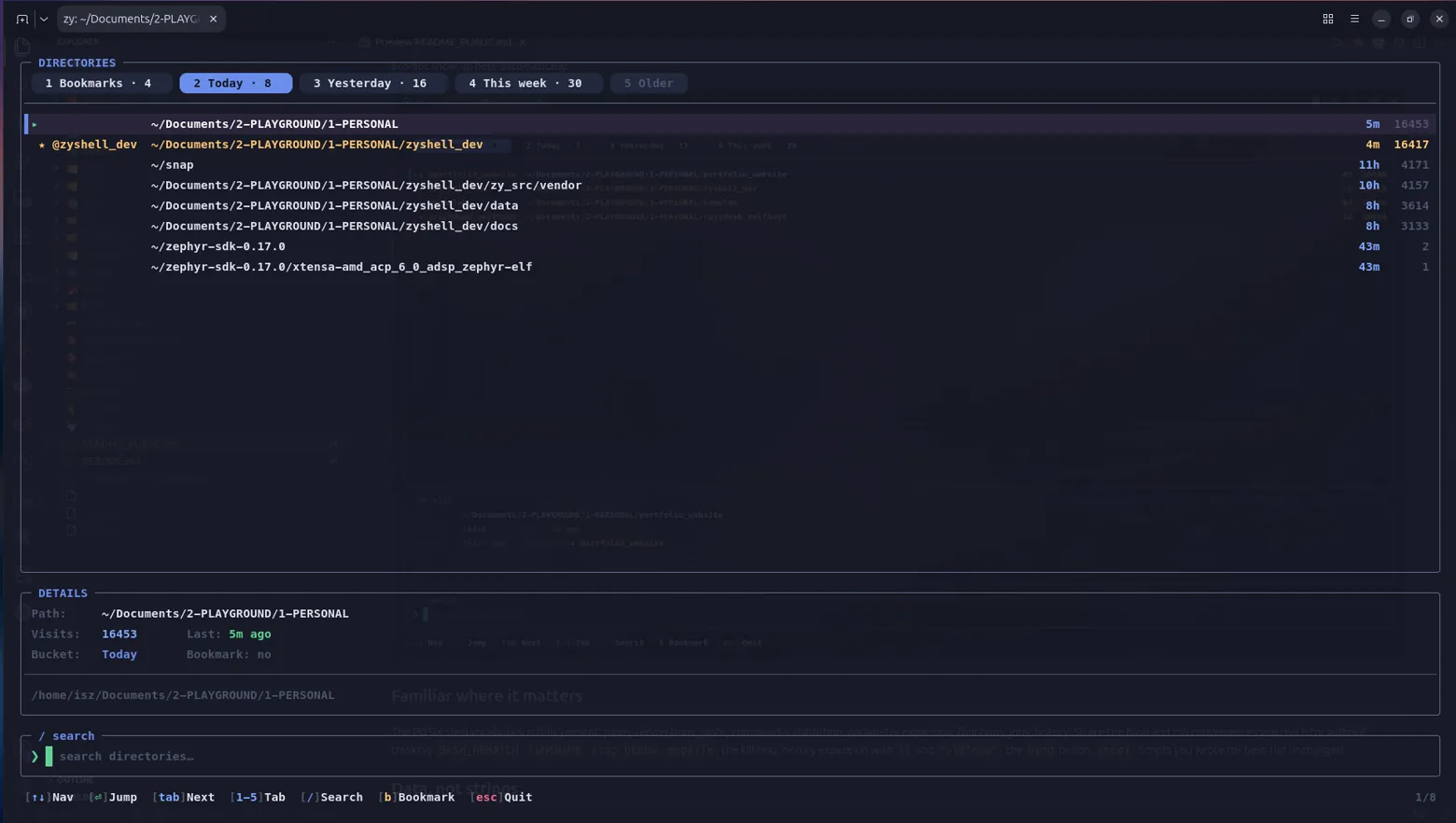
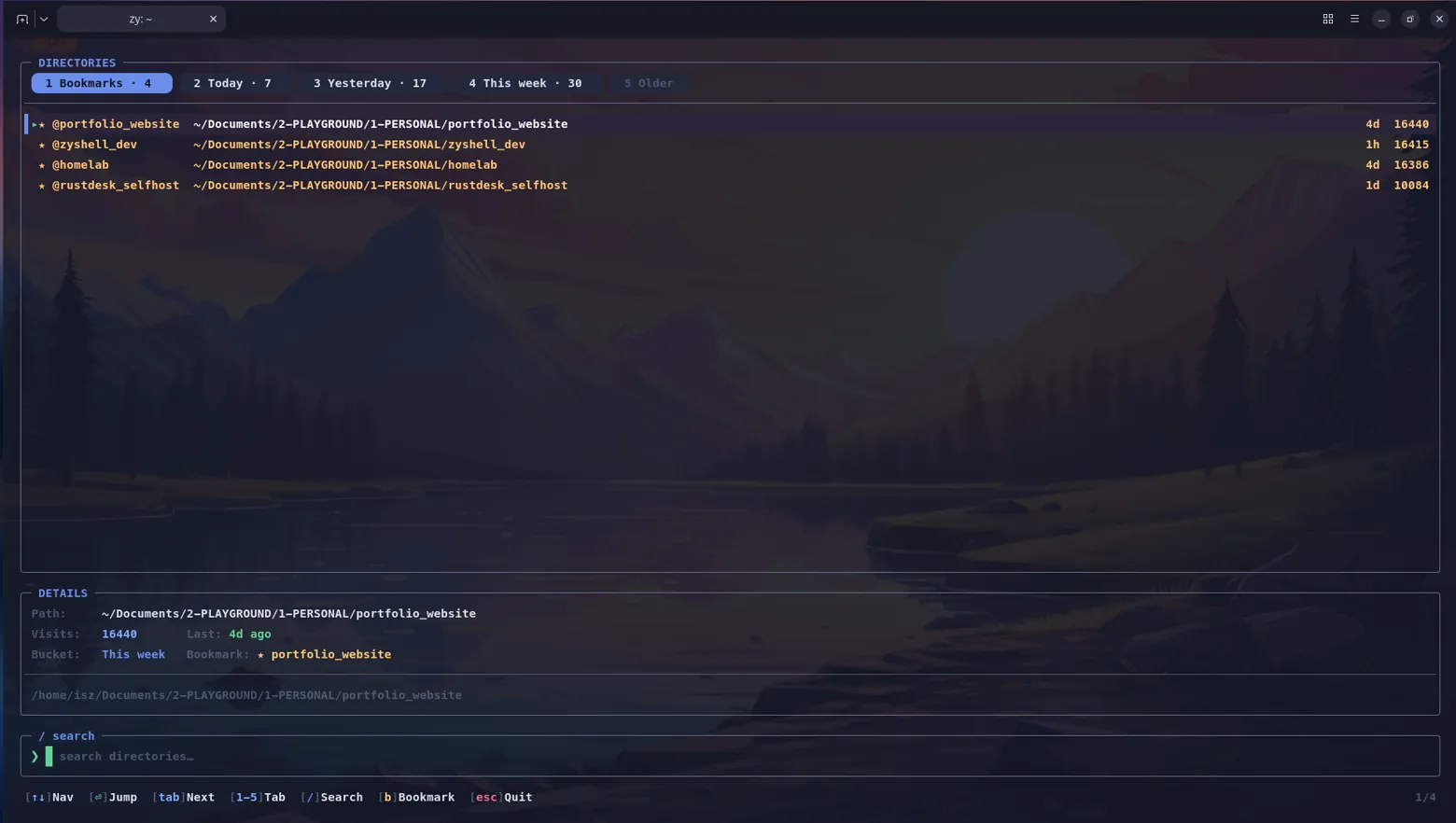
The zi picker: 23 directories ranked by frecency, filtered in real-time as you type.

Scripting

Full POSIX sh compatible control structures plus zsh and Nushell extensions.

bash
if [[ -f config.yaml ]]; then source config.yaml; fi
 
for f in *.c; do gcc -c "$f"; done
for (( i=0; i<10; i++ )); do echo "$i"; done
while [[ $retry -gt 0 ]]; do try_connect && break; (( retry-- )); done
 
select opt in "Build" "Test" "Deploy" "Quit"; do
    case $opt in Build) make ;; Quit) break ;; esac
done

27 parameter expansion forms matching zsh: ${#var}, ${var:-default}, ${var//pat/repl}, ${var:offset:length}, ${var^^}, ${(s:d:)var}, and more.


Globbing

Standard globs plus extended patterns and zsh-style qualifiers:

bash
*.c                # wildcard
**/*.h             # recursive globstar
{a,b,c}            # brace expansion
^pattern           # negation
*.c~test*          # exclusion
*(.)               # regular files only (qualifier)
*(/)               # directories only
*.c(:r)            # remove extension (modifier)

Built-in .gitignore support via setopt globfilter gitignore.


Files & Directories

zy follows XDG conventions and keeps a clean separation between configuration, data, and system-wide policy. Here is everything it touches on disk.

Configuration Files

PathFormatPurpose
~/.zyrcShell scriptMain config — auto-loaded on every interactive startup. Stores config set commands, aliases, theme, prompt style. Respects $ZDOTDIR/.zyrc if set. Editable via config edit.
~/.zy/features.confKey=valuePersists feature toggle state (audit, policy, smart-history, stats, syntax-hl, autosuggestions, git-prompt, plugins, skills)
~/.zy/keybindingsPlain textCustom key bindings saved by bindkey --save, restored by bindkey --load
~/.zy/disabled_pluginsPlain text listTracks which plugins have been disabled
~/.inputrcReadline-compatibleRead-only — zy imports compatible bindings for familiarity

User & system config

SQLite Databases

SQLite is the only external dependency. Four databases live under ~/.local/share/zy/, all using WAL mode for crash safety.

PathPurposeKey Columns / Notes
~/.local/share/zy/history.sqliteSmart command historycommand, cwd, timestamp, exit code, duration, session ID. Powers frecency ranking, per-directory context, and Ctrl+R fuzzy search.
~/.local/share/zy/audit.sqliteTamper-evident audit ledgercommand, cwd, user, exit code, duration, timestamp, risk level, session ID, device fingerprint, SHA-256 hash chain. Verified end-to-end with audit verify.
~/.local/share/zy/zyjump.dbDirectory jump rankingspath, frecency score, last access. Powers z and zi directory jumping.
~/.local/share/zy/bookmarks.dbPinned directory bookmarksname, path. Managed via j @name, j --bookmark.

SQLite database files

Plain Text History

PathFormatPurpose
~/.zy_historyOne command per linezsh-compatible flat history file. Exists alongside the SQLite history for backwards compatibility and tools that expect a text file.

Flat history file

Directories

PathPurpose
~/.zy/Top-level user config directory
~/.zy/plugins/Plugin autoload — each plugin is a subdirectory with init.zy + manifest.zy (or a single *.zy file)
~/.zy/skills/Skill recipes — each skill is ~/.zy/skills/<name>/ with run.zy + manifest.zy
~/.zy/completions/Custom completion scripts, sourced by compinit
~/.local/share/zy/XDG data directory — houses all four SQLite databases and the font-check marker
~/.local/share/fonts/Nerd Font TTF files installed by the first-run font setup

Runtime directories

System-Wide Files

PathFormatPurpose
/etc/zy/policy.confPolicy rulesSystem-wide deny/warn/audit/rate_limit/restrict rules. Loaded automatically; can also be specified with --policy.
/etc/zyprofileShell scriptSystem-wide login profile, sourced on login shell startup (like /etc/profile)
/etc/shellsText listSystem shell registry — the .deb package adds /usr/bin/zy here so chsh recognizes it

System paths

Login Shell Profiles

PathNotes
/etc/profileStandard POSIX login profile
/etc/zyprofilezy-specific system profile
~/.profileStandard user profile
~/.zy_profilezy-specific user login profile
~/.zyrcAlways loaded last (interactive sessions)

Login profiles (sourced on login shell startup, in order)

Installed Binaries

PathDescription
/usr/bin/zyPrimary binary
/usr/bin/zyvrixshSymlink to /usr/bin/zy
/usr/local/bin/zySymlink to /usr/bin/zy (for editors and scripts that search /usr/local/bin)
/usr/local/bin/zyvrixshSymlink to /usr/bin/zy
/usr/share/zy/setup-font.shBundled Nerd Font installer

Installed executables and scripts

Marker Files

PathPurpose
~/.local/share/zy/.font-checkedEmpty file — created after first-run font detection to prevent re-prompting on every startup

State markers

Full directory tree
  • ~/ (home)
    • .zyrc — main config (shell script, auto-loaded)
    • .zy_history — flat text history (zsh-compatible)
    • .zy_profile — login profile (optional)
    • .zy/
      • features.conf — feature toggles (key=value)
      • keybindings — custom key bindings
      • disabled_plugins — disabled plugin list
      • plugins/
        • <name>/
          • init.zy — entry point
          • manifest.zy — metadata
      • skills/
        • <name>/
          • run.zy — skill script
          • manifest.zy — metadata
      • completions/ — custom completion scripts
    • .local/share/zy/
      • history.sqlite — frecency command history (SQLite)
      • audit.sqlite — SHA-256 hash-chain audit log (SQLite)
      • zyjump.db — directory jump rankings (SQLite)
      • bookmarks.db — pinned directory bookmarks (SQLite)
      • .font-checked — font detection marker (empty)
    • .local/share/fonts/ — Nerd Fonts installed by first-run setup
  • /etc/
    • zy/
      • policy.conf — system-wide policy rules
    • zyprofile — system-wide login profile
    • shells — shell registry (chsh reads this)
  • /usr/bin/
    • zy — shell binary
    • zyvrixsh — symlink → zy
  • /usr/local/bin/
    • zy — symlink → /usr/bin/zy
    • zyvrixsh — symlink → /usr/bin/zy
  • /usr/share/zy/
    • setup-font.sh — Nerd Font installer

Configuration

bash
customize          # interactive 4-step wizard with live preview
config set theme neon
config set prompt_style edge
config list        # show all 50+ settings
zy shell feature gates
9 independently toggleable subsystems: audit, policy, smart-history, stats, syntax-hl, autosuggestions, git-prompt, plugins, and skills.
Key configuration options
KeyDefaultDescription
prompt_styleauraPrompt layout (aura/edge/flux/bare/classic)
themeetherColor theme name
show_gittrueGit status pill
show_langtrueLanguage/project detection
show_commit_hashtrueGit commit hash in prompt
show_exec_timetrueCommand duration
suggest_auto_showtrueAuto-show suggestion dropdown
syntax_highlightingtrueReal-time command coloring
transient_promptfalseCollapse previous prompts

Per-pill customization: pill_dir_bg, pill_git_fg, pill_user_shape, etc. 7 shapes, 4 fonts, opacity 20–100%.


Help System

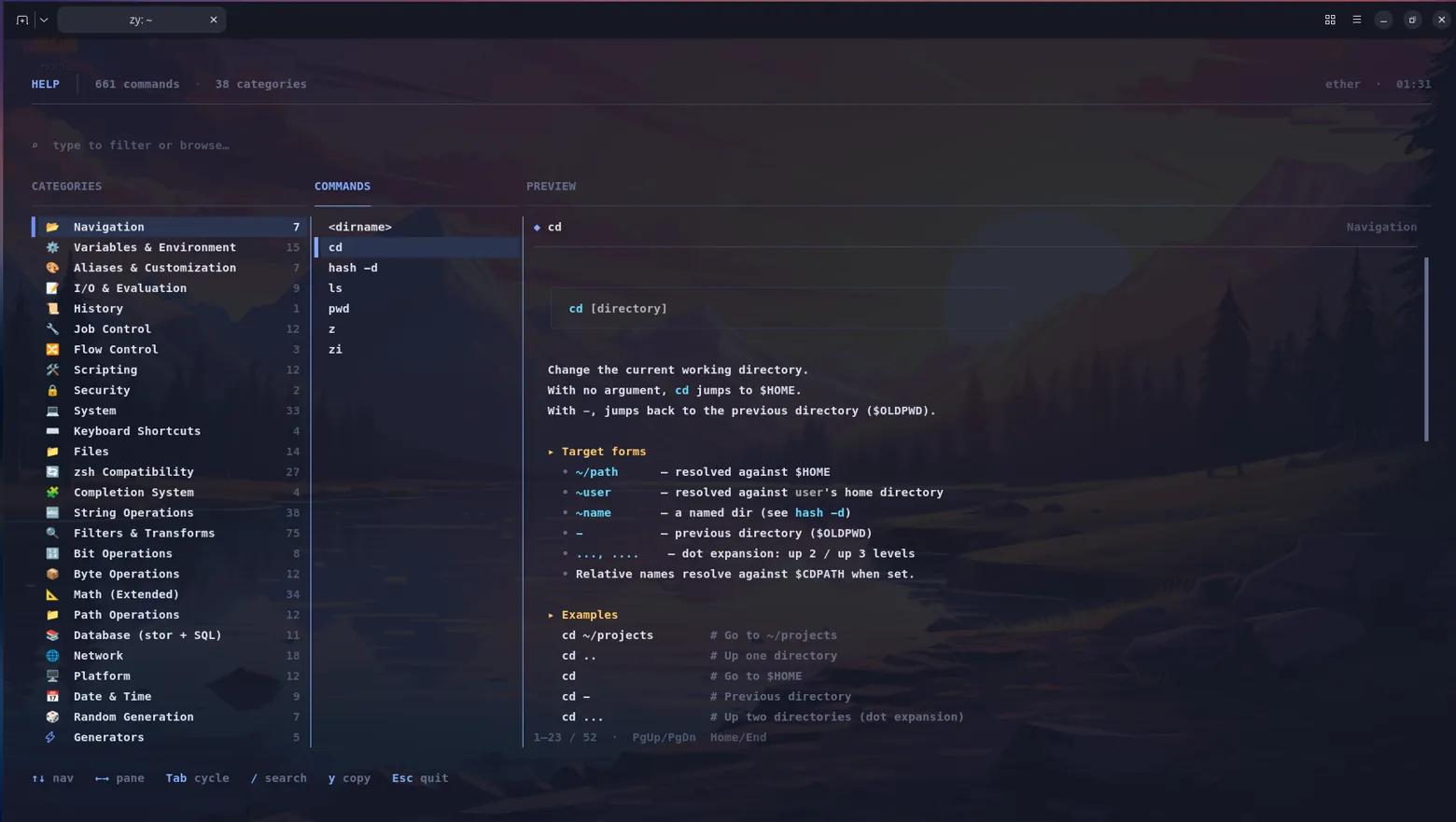
390+ help entries covering all 356+ builtins, organized into 30 categories. Built into the binary, no man pages, no external files.

zy shell help system
The help index: 30 categories, each with representative commands. Drill down with 'help cd', search with 'help --search pipe'.
bash
help                  # overview
help --all            # everything
help <command>        # detailed usage
help --search <word>  # full-text search

Testing & Developer Tools

Eight subsystems built into the shell — no plugins, no external dependencies. Every feature ships in the same 5 MB binary.

Built-in Test Framework

Write assertions inline or in .zytest files and run them with test-run:

bash
assert-eq (1 + 1) 2              # pass — values match
assert-true (echo hello | str contains "hello")
assert-type "42" "int"           # type checking
assert-error { bad-command }     # expects failure
test-run tests/math.zytest       # run a test file, report pass/fail/skip

Terminal Visualization

Render data directly in the terminal — no external plotting tools needed:

bash
[3, 7, 2, 9, 5, 1, 8] | sparkline          # ▃▇▂█▅▁▇
seq 1 5 | wrap value | chart bar             # vertical bar chart
curl -s api/progress | progress --total 100  # ████████░░░░ 67%

Script Debugger

dbg script.zy launches an interactive debugger with gdb-style commands:

CommandAction
b 5Set breakpoint at line 5
n / sStep over / step into
cContinue
p $varPrint variable
btStack trace
qQuit debugger

Cheatsheet Engine

50+ built-in cheatsheets, searchable with cheat <topic> or the Ctrl+H popup:

bash
cheat git        # common git recipes
cheat tar        # tar flags you always forget
cheat zy-pipe    # zy pipeline operators

File Watcher, Task Runner, Session Recording

bash
fs-watch src/ --glob "*.c" --exec "make"   # rebuild on file change
task build                                  # run task from .zytasks
record --output demo.json                   # start recording
replay demo.json                            # replay session
env-save work && env-restore work           # snapshot/restore env

Also Included

Job lifecycle: jobs move between Running, Stopped, Done, and Killed. fg/bg sends SIGCONT and transfers terminal ownership with tcsetpgrp(). A 256-slot table tracks all jobs.
  • Aliases: regular, global (-g, expands anywhere), suffix (-s, maps file extensions to handlers)
  • Job control: full POSIX: fg, bg, wait, disown, process groups, Ctrl+Z
  • Plugin system: auto-loads .so from ~/.zy/plugins/, plugins register builtins
  • Shell options: errexit, nounset, xtrace, pipefail, noclobber, correct, 59 total
  • I/O: all POSIX redirections + &>, <<<, <(), >()
  • zsh compat: emulate, zmodload, strftime, zstat, compinit, autoload, and more
  • "Did you mean?": Damerau-Levenshtein suggestions on command-not-found
  • Nerd Font detection: auto-detects installed Nerd Fonts, falls back to Bare style if missing
  • Built-in test framework: assert-eq, assert-ne, assert-true, assert-false, assert-error, assert-type, and test-run for running .zytest files
  • Terminal visualization: sparkline, chart (bar/horizontal), progress bar — all in-shell, no external tools
  • Cheatsheet engine: cheat command with 50+ built-in cheatsheets, Ctrl+H popup in the line editor
  • Script debugger: dbg launches an interactive debugger with breakpoints, step, continue, variable inspection, and stack traces
  • File watcher: fs-watch uses inotify to watch files/directories with glob patterns, debounce, and callback commands
  • Task runner: task reads .zytasks files with dependency resolution — a built-in Make alternative for shell workflows
  • Session recording: record / replay captures full pipeline I/O to JSON for auditing, demos, or debugging
  • Environment snapshots: env-save / env-restore / env-snapshots — snapshot and restore environment state across sessions

Design Decisions

Why C?

Direct access to fork, pipe, dup2, tcsetpgrp, and sigaction without abstraction layers. Keeps the binary small (5 MB) and startup fast (2 ms).

Why a custom parser?

Deterministic error recovery, precise control over error messages, zero build-time dependencies. Recursive descent maps naturally to shell grammar.

Why SQLite?

Crash-safe (WAL mode), atomic writes, structured queries. One dependency powers three subsystems: audit ledger, frecency history, and directory jump rankings.

Why a structured data pipeline?

Nushell proved typed pipelines are better than parsing text with awk. But Nushell breaks POSIX compatibility. zy gives the same structured pipeline experience inside a shell that still runs existing bash scripts.

This project was developed with an AI coding assistant throughout: architecture decisions, code generation, debugging, test writing, and documentation.


Download